Paperclip.
The open-source framework for managing multi-agent AI teams. A complete 2026 guide to what Paperclip does, how it works, how to install it, and how it compares to Claude Code, OpenClaw, and Claude Managed Agents.
What is Paperclip?
Paperclip is an open-source management layer for multi-agent AI systems. It is not an AI model and does not generate content itself. It provides the organizational infrastructure - hierarchy, budgets, scheduling, ticketing, and audit logs - needed to run multiple AI agents (such as Claude Code, OpenClaw, Codex, or Cursor) as a coordinated team.
The clearest one-line definition: "If OpenClaw is an employee, Paperclip is the company."
In a kitchen metaphor: if Claude Code is the chef, Paperclip is the restaurant the chef works in - the shift schedule, the POS system, the ticket rail, the budget ledger, and the front-of-house manager.
Key facts
- License: MIT (free, open source)
- Launch date: March 4, 2026
- Creator: Doda (developer handle)
- GitHub stars (April 2026): 56,000+
- Install command:
npx paperclipai onboard --yes - Dashboard URL:
http://localhost:3100 - Minimum Node.js: v20+
- Minimum pnpm: v9.15+
Why does multi-agent AI need an orchestration layer?
Because unsupervised AI agents running in parallel create real operational problems. Running multiple agents in separate terminal tabs without orchestration typically leads to four failure modes.
The four failure modes of unorchestrated agents
- No budget tracking. A single runaway agent can burn through €20+ of tokens overnight.
- No audit trail. You cannot reconstruct what each agent did or why.
- Session loss on reboot. All agent context disappears when the machine restarts.
- No decision hierarchy. No defined reporting lines or approval gates for high-stakes actions.
In one real case, a three-agent content pipeline (researcher → writer → carousel generator) ran in a loop overnight and produced 126 unrequested draft files before being stopped. The root cause was not the AI - it was missing management infrastructure: no budget cap, no service hours, no monitoring.
Paperclip exists to solve this management problem, not an AI problem.
How does Paperclip work?
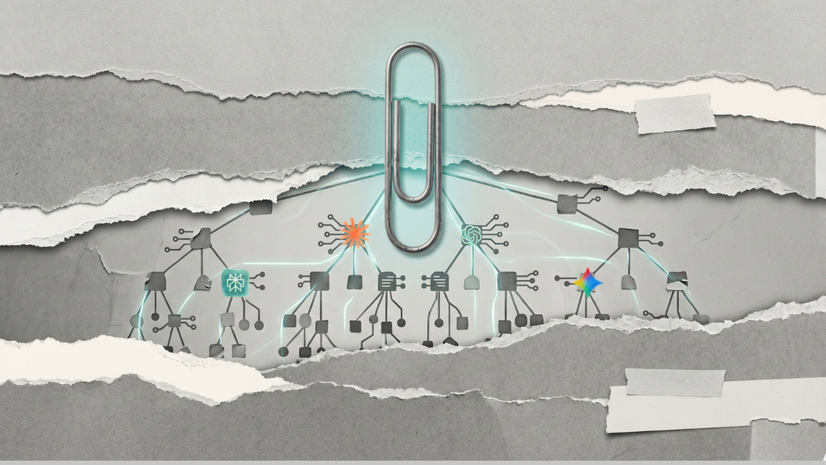
Paperclip organizes AI agents into a hierarchical team with tickets, budgets, and scheduled work windows. The structure mirrors a real company or restaurant brigade.
The organizational model
Restaurateur (You, the human)
└── Head Chef Agent (CEO)
    ├── Marketing Agent
    │   └── Copywriter Agent
    ├── Tech Lead Agent
    │   ├── Engineer Agent
    │   └── QA Agent
    └── Research Agent
The human acts as the restaurateur. You give the head chef agent a mission. The head chef breaks work into tickets, proposes hiring additional agents if needed, and waits for your approval before major decisions.
The six core features
- Org chart. Defined hierarchy with head-chef, sous-chef, and line-cook agents. Clear reporting lines and decision rights.
- Ticket board. A kanban-style interface (similar to Jira or Asana) where every task has an owner, status, and thread.
- Budget controls. Set a monthly token limit per agent. When the limit is reached, the agent pauses - it does not warn and continue spending.
- Heartbeats. Agents wake on a schedule (every 4, 8, or 12 hours), check their tickets, do their work, log results, and return to sleep.
- Audit log. Append-only record of every decision, tool call, and token spent. Entries cannot be edited or deleted.
- Human approval gates. Agents propose plans; you approve from the dashboard. Hiring new agents, publishing content, and large actions all require your sign-off.
The four files that define each agent
Every Paperclip agent is defined by four editable Markdown files:
- AGENTS.md - Agent identity and role.
- HEARTBEAT.md - The checklist the agent runs every time it wakes up.
- SOUL.md - Personality and default behavior (e.g., "You own the P&L. You default to action.").
- TOOLS.md - Which tools the agent can and cannot use.
All four files can be edited directly. This is how you shape agent behavior without writing code.
How do heartbeats work in Paperclip?
Heartbeats are scheduled wake-windows that replace always-on agent loops. Instead of running continuously and burning tokens, agents operate in shifts.
A typical 8-hour heartbeat cycle
- 8:00 AM - Head chef wakes. Reads its identity file, checks the plan, looks at the ticket board, breaks work into steps, executes, logs learnings, goes back to sleep.
- 8:05 AM - Engineer wakes. Reads its assignment from the head chef, writes code, saves progress, goes back to sleep.
- 4:00 PM - All agents wake again. Head chef reviews engineer output. Copywriter submits a draft. QA runs checks.
- End of cycle - Summary delivered to your inbox.
This shift model prevents the overnight budget blowouts that unsupervised agents cause. It also creates natural checkpoints for human review.
How does Paperclip compare to Claude Code, OpenClaw, and Claude Managed Agents?
These tools are not competitors - they are different levels of AI autonomy. Paperclip sits on top of them.
The five levels of AI autonomy
- Level 1 - Claude Chat. Counter service. You order, Claude cooks, you eat. Run by Anthropic.
- Level 2 - Claude Cowork. You cook with a sous-chef. You are still holding the knife.
- Level 3 - Claude Code / OpenClaw. The chef cooks alone in your kitchen. Your machine, your bill.
- Level 4 - Claude Managed Agents. Same chef, but cooking in Anthropic's kitchen. Launched April 8, 2026.
- Level 5 - Paperclip. One chef became a brigade. You are the restaurateur.
Paperclip uses the Level 3 and Level 4 tools as its agents. It does not replace them - it gives them a structured environment to work in.
When to use which tool
- Claude Chat: one-off questions, drafts, quick research.
- Claude Cowork: working alongside Claude on your own files.
- Claude Code / OpenClaw: a single long-running task you can script and walk away from.
- Claude Managed Agents: same as Level 3, but you do not want to manage infrastructure.
- Paperclip: multiple agents working together with budgets, audit, and hierarchy.
How do you install Paperclip?
Paperclip installs with a single command once the prerequisites are in place. The full walkthrough below assumes zero prior experience with the terminal.
Prefer a printable, step-by-step version? Use the Paperclip Setup Checklist - every step from Node.js install to first agent on one page.
Step 1: Install prerequisites
You need three things installed before running Paperclip.
- Node.js v20 or higher. A runtime that lets certain tools execute on your machine. Free. Download from nodejs.org. Verify with
node --version. - pnpm v9.15 or higher. A package manager. Install by running
npm install -g pnpm. - An Anthropic API key. Access pass for Claude models. Get one at console.anthropic.com. Usage is billed per token.
Step 2: Install Paperclip
Open your terminal and run:
npx paperclipai onboard --yesPaperclip installs itself, creates its own local database, and starts the onboarding wizard. No separate account signup required.
Step 3: Open the dashboard
Open your browser and go to http://localhost:3100. This is the Paperclip control center. All agent management happens here.
Step 4: Create your company
The onboarding wizard asks for two things.
- Company name. Each Paperclip company is fully isolated - its own agents, budgets, and audit trail. You can run multiple companies from one install.
- Company mission. Every ticket your agents work on traces back to this mission. Be specific.
✅ Good mission: "Produce one LinkedIn post and one newsletter article per week about AI tools for non-technical professionals."
❌ Bad mission: "Do content stuff."
Step 5: Create your first agent (the head chef)
Click Create Agent and configure:
- Name: CEO, Head Chef, or similar coordinator role.
- Model: Claude Sonnet 4.6 (cheaper than Opus, capable enough for coordination).
- Adapter: Claude.
Click Test now to verify the API connection. You should see "hello probe succeeded."
Paperclip automatically generates the four identity files. Edit them later to customize behavior.
Step 6: Assign the first ticket
Type a task for the head chef. Example:
"Research 5 trending AI tools this week and write a one-paragraph summary of each. Focus on tools relevant to non-technical professionals."
Click Publish. The head chef reads the ticket on its next heartbeat and begins planning.
Step 7: Set budgets and heartbeat schedule
Recommended defaults for first-time users:
- Monthly token budget: €20 per agent. Increase once you understand your team's actual burn rate.
- Heartbeat frequency: Every 8 hours.
- At-limit behavior: The agent pauses. It does not warn and keep spending.
Step 8: Monitor the inbox
The head chef will post updates, proposals, and approval requests to your inbox. Actions that require approval typically include:
- Hiring a new specialist agent
- Publishing content
- Changing scope or budget
- Any destructive or irreversible action
What are people actually building with Paperclip?
Three use cases are currently common among early adopters. All are running today, not theoretical.
Content operations team
- Head chef: coordinates the team.
- Researcher: finds trending topics.
- Writer: drafts articles and social posts.
- Editor: reviews for quality.
- Social media agent: formats for different platforms.
- Typical budget: €100-€200/month across all agents.
Lead generation pipeline
- Head chef: plans outreach strategy.
- Research agent: finds B2B prospects.
- Copywriter: drafts personalized messages.
- QA: reviews before send.
- Typical budget: ~€265/month total. Opus head chef capped at €50, Sonnet 4.6 specialists at €40-€100 each.
SaaS development team
- Head chef: defines product vision.
- Tech lead: breaks work into tasks.
- Engineer: writes code.
- QA: tests.
- Designer: produces specs.
- Reported outcome: early teams have built MVPs in ~2 weeks that would take ~2 months with traditional staffing.
Clipmart: pre-built team templates
Paperclip is developing Clipmart, a template marketplace where users can download a ready-made company (content agency, lead gen op, dev shop) with one command. Community templates can already be imported:
npx paperclipai company import --from ./trail-of-bits-securityOne command. Entire brigade. Ready to cook.
What does Paperclip cost to run?
Paperclip itself is free. Operating costs come from API token usage.
- Paperclip software: €0 (MIT license).
- API tokens for a 4-agent team on 8-hour heartbeats: €50-€200/month.
- With a Claude Code Max subscription ($200/month): token costs drop to $0 because usage runs through the subscription allocation.
- Cheapest experimentation path: use Sonnet 4.6 for every agent.
Cost optimization tips
- Start with a single coordinator agent on Sonnet 4.6, not a full team.
- Set conservative monthly caps (€20/agent) until you understand burn patterns.
- Use longer heartbeat intervals (12h instead of 4h) for non-urgent work.
- Reserve Opus-tier models for the head chef; use Sonnet for specialists.
Who should use Paperclip - and who should not?
Use Paperclip if
- You are already comfortable with Claude Chat and Claude Code for everyday tasks.
- You manage projects or teams in your professional life - the mental model will transfer.
- You are willing to run a few terminal commands during setup.
- You want to understand where agentic AI is heading in 2-3 years.
Do not use Paperclip yet if
- You are still learning how to use Claude for basic tasks. Start at Level 1 (Claude Chat).
- You are unwilling to pay for API tokens. Agents cost real money to run.
- Terms like self-hosting and localhost are unfamiliar and you have no one to help.
- You need production-stable tooling today. Paperclip launched seven weeks ago. One honest reviewer called it "a proof of concept wearing a product's clothing."
Frequently asked questions
Is Paperclip free?
Yes. Paperclip is open source under the MIT license. The software itself costs nothing. You pay only for the Anthropic API tokens your agents consume.
Does Paperclip replace Claude Code?
No. Paperclip uses Claude Code (and OpenClaw, Codex, Cursor, or other agent runtimes) as its agents. It is an orchestration layer on top, not a replacement.
Can I run Paperclip without an API key?
No. Agents require a Claude model to act as their brain. You need an Anthropic API key or an equivalent provider key.
How is Paperclip different from Claude Managed Agents?
Claude Managed Agents, launched April 8, 2026, runs a single agent in Anthropic's infrastructure. Paperclip orchestrates multiple agents - possibly including Managed Agents - as a coordinated team with hierarchy, budgets, and audit logs. They solve different problems at different levels of the AI autonomy stack.
What does the "heartbeat" concept mean?
A heartbeat is a scheduled wake-window (every 4, 8, or 12 hours) during which an agent reads its tickets, performs work, logs results, and goes back to sleep. It replaces always-on agent loops and prevents overnight token burn.
Is Paperclip safe to run locally?
Yes, within normal caveats. Paperclip runs on your machine, stores data in a local database, and exposes a dashboard only at http://localhost:3100. The agents it runs will make API calls to Anthropic and may execute actions on your filesystem depending on their tool permissions - always review each agent's TOOLS.md.
Can I use Paperclip without the terminal?
Setup requires one terminal command (npx paperclipai onboard --yes). After that, everything happens in the browser dashboard at localhost:3100.
When was Paperclip launched and how popular is it?
Paperclip was launched on March 4, 2026 by a developer known as Doda. It reached 30,000 GitHub stars in three weeks and 56,000+ stars by April 2026 - one of the fastest-growing open-source projects in GitHub history.
Key takeaways
- Paperclip is a management layer, not a model. It orchestrates agents; it does not replace them.
- Multi-agent AI fails without infrastructure. Budgets, audit logs, and scheduled work windows are the difference between a working team and 126 unwanted draft files.
- The skills of a good manager transfer directly. Clear goals, structured delegation, and knowing when to intervene are exactly what running an agent brigade requires.
- Cost is bounded and controllable. €50-€200/month covers a typical 4-agent team. Per-agent caps prevent overruns.
- The tool is early but real. 56,000+ GitHub stars in seven weeks signals genuine adoption. It is not production-mature, but it is usable today.
A year ago, using AI meant writing a better prompt. Six months ago, it meant working alongside a sous-chef. Today, it means running a restaurant.
Open a terminal. Type the command. Meet your brigade. The full step-by-step is in the Paperclip Setup Checklist.
If you found this useful, I send one like it every week.
Subscribe free → - Lucija Tomšić · brisk.vision