How to Create an AI Avatar with HeyGen in 5 Minutes.
I tested HeyGen Avatar V with one bad selfie and 15 seconds of café footage. The video was good enough. The wedding ring was not.
What Is HeyGen and How Does It Work?
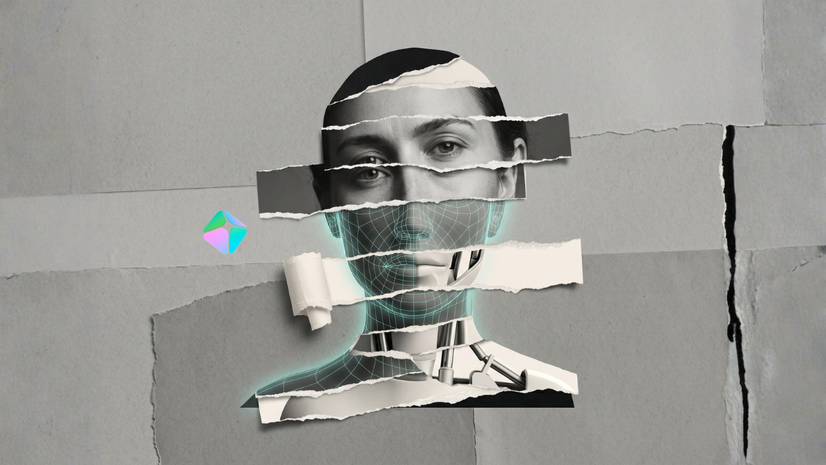
HeyGen is an AI video generation platform that converts a written script into a video of an AI avatar speaking it. Users can select from a library of 300+ pre-built avatars or train a custom avatar using their own footage. HeyGen Avatar V, the platform's newest model released in 2025, addresses the uncanny valley and lip-sync issues that made its predecessor, Avatar IV, visibly artificial.
HeyGen pricing (as of 2026):
- Free plan: one Avatar V export (watermarked)
- Creator plan: $24/month (billed annually) or $29/month - includes 200 premium credits (~10 minutes of video)
- Pro plan: $79/month (billed annually) - includes 2,000 premium credits
The main use case is video content creation without being on camera: course explainers, personalized outreach videos, and multilingual content at scale.
How to Create a HeyGen AI Avatar: Step-by-Step
Creating a custom HeyGen avatar takes approximately 5 minutes using the free plan. Here is the exact workflow tested with HeyGen Avatar V.
What you need:
- 15 seconds of video footage (phone camera is sufficient)
- One clear headshot
- A HeyGen account (free tier works for the first export)
Steps:
- Record 15 seconds of selfie video. Read the HeyGen onboarding script directly to the camera. Lighting and makeup are not required - HeyGen is designed to normalize low-quality input footage.
- Upload the clip. HeyGen analyzes the footage and generates three voice variations and multiple avatar options, including office, casual, and podcast settings.
- Select a voice. HeyGen's built-in voice cloning sounds AI-generated. Choose the least robotic option; you can replace it with a third-party voice cloning tool later.
- Upload one headshot. This is the key step. HeyGen overlays your face from the headshot onto the motion data captured from your video, producing a more accurate likeness than video alone.
- Preview and generate. The avatar inherits your movements: posture, head tilts, and natural gesture patterns. Total processing time is under 5 minutes.
Known output issues:
- Teeth rendering may appear slightly off if the input footage does not include a smile
- HeyGen may add accessories not present in the original footage (in one test, the generated avatar appeared with a wedding ring despite no ring or hand footage being uploaded)
Is HeyGen Avatar V Good Enough to Publish?
HeyGen Avatar V produces video quality that is sufficient for content publishing, with one significant limitation: the built-in voice cloning is not publication-ready.
The video rendering - avatar movement, lip sync, facial expression - has improved substantially over Avatar IV. Motion data from short selfie clips translates accurately to the generated avatar. The result is recognizably human rather than uncanny.
The voice is a separate problem. HeyGen's internal voice cloning produces a noticeably synthetic output that does not match natural speech patterns. Third-party voice cloning tools (ElevenLabs, PlayHT, and others) produce significantly more realistic results and can be integrated into HeyGen for final video production.
Bottom line: use HeyGen for the video layer. Solve the voice separately.
HeyGen Brand Kit: What the Platform Builds Automatically
HeyGen includes an automatic brand kit generator that most reviews do not cover. By entering a website URL, HeyGen reads the site's visual identity - colors, fonts, logo - and builds a branded video template.
What the brand kit generates automatically:
- Caption styles matched to brand accent colors and typography
- Intro animations and outros
- Transition effects
- Keyword highlighting in brand color
For context: in testing with brisk.vision, HeyGen pulled the correct brand palette and generated captions in matching colors with keyword highlights - output that would take significant manual effort in tools like CapCut or Descript.
This feature is particularly relevant for solo content creators and small teams who produce video at volume but lack dedicated design resources.
Does HeyGen Support Non-English Languages?
HeyGen supports multilingual video generation, including translation and lip-sync adjustment for non-English languages. Performance varies significantly by language.
Languages with strong support: English, Spanish, French, German, Portuguese, Mandarin
Languages with known issues: Languages with complex grammatical gender and case systems (such as Croatian, Polish, and Czech) may produce translations that default to masculine verb forms regardless of the speaker's gender. Translations in these languages tend toward literal rather than natural phrasing and require manual editing before publication.
Practical implication: For audiences in non-English-speaking markets, HeyGen provides a functional starting point for multilingual content. Treat AI-generated translations in grammatically complex languages as first drafts requiring review.
Who Should Pay for HeyGen?
HeyGen is worth subscribing to if you meet the following criteria.
Pay for HeyGen if:
- You publish video content weekly and want to avoid being on camera
- You produce online courses or training programs requiring 10 or more explainer videos
- You run personalized video outreach campaigns at scale
- You regularly translate content into three or more languages
Skip HeyGen if:
- You post videos occasionally and do not have a consistent publishing schedule
- You only need a single avatar for one project
- You are still testing whether you will commit to video content at all
Pricing reality check: The Creator plan ($24/month annually) includes 200 premium credits - approximately 10 minutes of Avatar V video per month. At three to four videos per week, this limit is reached in the first week. The Pro plan ($79/month annually) with 2,000 credits is the realistic entry point for regular publishers. Factor this into your cost calculation before subscribing to the Creator tier.
Recommended evaluation approach: Use the free plan first. Generate one avatar. Make a list of content you would actually publish using HeyGen in the next 30 days. If the list contains fewer than four items, do not subscribe.
AI Voice Cloning and Identity Risk: What You Need to Know
HeyGen's avatar test raised a broader issue that applies to all voice cloning technology in 2026.
Voice cloning tools - including those used by HeyGen - can generate a convincing audio replica of a person's voice using as little as three seconds of source audio. Phone calls, podcast clips, voice messages, and social media videos all constitute usable training data.
According to security researchers, voice cloning-based fraud attempts increased by over 400% in 2025. Reported cases include impersonation calls targeting elderly family members in Florida, Arizona, and Hong Kong, typically requesting emergency money transfers.
The mitigation: establish a verbal family code word. Choose a random word or phrase not used in everyday conversation. Share it with close family members and close contacts. Anyone calling in a panic requesting urgent financial help must provide the code word. If they cannot, end the call and dial back on a known number.
This takes 30 seconds to set up and is the most effective low-tech defense against AI voice fraud.
What Comes Next: HeyGen + Claude Code Automation
The manual HeyGen workflow covered in this article is functional but slow. The next step is automation: using Claude Code to wire a prompt-to-video pipeline that handles research, scriptwriting, and HeyGen video generation in a single workflow.
The automated pipeline also includes third-party voice cloning integration so the avatar output sounds human, not synthetic.
If you are new to Claude Code, see the Claude Code beginner walkthrough before the next issue.
Frequently Asked Questions About HeyGen AI Avatars
How much footage does HeyGen need to create an avatar?
HeyGen Avatar V requires a minimum of 15 seconds of selfie video and recommends one additional headshot for accurate facial mapping. No studio setup is required.
Can HeyGen clone my voice?
HeyGen includes built-in voice cloning that generates a voice from uploaded footage. The output is functional but sounds AI-generated. For publication-quality voice, integrate a third-party tool such as ElevenLabs or PlayHT.
Is HeyGen free to use?
HeyGen offers one free Avatar V video export, which includes a watermark. Paid plans start at $24/month (billed annually) and are required for regular publishing use.
How long does it take to create a HeyGen avatar video?
From footage upload to generated video, the process takes approximately five minutes on the Avatar V model.
What is HeyGen Avatar V?
HeyGen Avatar V is the platform's most recent custom avatar model, released in 2025. It improves on Avatar IV with better lip-sync accuracy, more natural movement, and reduced uncanny valley artifacts.
If you found this useful, I send one like it every week.
Subscribe free → - Lucija Tomšić · brisk.vision